What is ClearView X?
ClearView X is a Mac-only ebook reader from Canoe Software that’s been around since 2012. It reads EPUB, PDF, CHM, MOBI, AZW, FB2, CBR, and CBZ files. The app focuses on tabbed reading with basic annotation tools — highlighting, notes, shapes, and freehand drawing for PDFs.
ClearView X costs a one-time CN¥68 (~$9.50 USD) on the Mac App Store. It syncs annotations and bookmarks across Macs via iCloud.
The app was last updated in October 2024 with compatibility fixes for macOS 15 Sequoia. Prior to that, updates were infrequent — version history shows long gaps between releases.
The trade-off: cheap and dormant vs. active and evolving
ClearView X is a competent basic reader, but it shows its age. The one-time price is attractive, but it comes with trade-offs:
- Mac-only, no iOS. If you read on iPhone or iPad, ClearView X doesn’t follow you there. There’s no companion app and no plans for one.
- Stale development. The last meaningful feature update was version 3.5.0 (dark mode improvements). Version 3.6.0 was just a Sequoia compatibility patch. Users on the Mac App Store report crashes on recent macOS versions and issues with iCloud file integration.
- Basic library management. ClearView X uses a simple folder-based shelf. No metadata lookup, no cover art fetching, no smart organization. You manage your books manually.
- No content discovery. There’s no catalog or store integration. You need to find and download books yourself before opening them in ClearView X.
- No accessibility fonts. No OpenDyslexic, Atkinson Hyperlegible, or other specialized reading fonts. The font selection is limited to system fonts and a few presets.
- No DRM-free conversion. ClearView X reads MOBI/AZW natively but doesn’t convert them. If a book has formatting issues in one format, you’re stuck with it.
- Tiny user base. The app doesn’t have enough ratings on the Mac App Store to display a score. Community support is minimal.
Feature comparison
| Feature | BookShelves | ClearView X |
|---|---|---|
| Platforms | macOS, iOS, iPadOS | macOS only |
| EPUB | Yes — native rendering | Yes |
| Yes | Yes — with annotation tools | |
| MOBI / AZW3 | Yes — auto-converted on import | Yes — read natively |
| CBZ / CBR (comics) | Yes (CBZ, CBR, CB7) | Yes (CBZ, CBR) |
| CHM | No | Yes |
| FB2 | No | Yes |
| KEPUB | Yes — auto-converted on import | No |
| Tabbed reading | Multi-window (native macOS) | Tabs in single window |
| Reading layouts | Paginated + continuous scroll | Page flip, scroll, single, dual-page |
| Themes | 8 themes (light, dark, sepia, paper, and more) | 3 themes (normal, sepia, night) |
| Font selection | 10 fonts incl. OpenDyslexic, Atkinson Hyperlegible, Lexend | System fonts + presets |
| RTL / CJK support | Yes — auto-detected, full bidirectional | Limited |
| Highlights & notes | Yes — multi-color, synced across devices | Yes — highlights, notes, shapes (PDF) |
| Export highlights | Yes — Markdown, JSON, CSV (Pro) | Basic export |
| PDF annotation shapes | No | Yes — lines, arrows, rectangles, ellipses, freehand |
| Cloud sync | iCloud — books, position, bookmarks, highlights | iCloud — annotations and bookmarks (Mac-to-Mac only) |
| Metadata lookup | Automatic on import (title, author, cover) | Manual editing only |
| Library organization | Shelves, grid/list views, sort by multiple fields | Collections, color tags |
| Free book catalogs | Built-in (Standard Ebooks, Internet Archive, and more) | None |
| OPDS support | Client + Server (Pro) | No |
| Calibre integration | OPDS server + folder import | No |
| KOReader sync | Via Calibre wireless server | No |
| Email to e-reader | Kindle, Kobo, PocketBook, reMarkable (Pro) | No |
| Format conversion | MOBI/AZW auto-convert to EPUB on import | EPUB/MOBI/CHM to PDF |
| Text-to-speech | Yes — Read Aloud with system voices (Pro) | No |
| Translation | Yes — free, on-device (Apple Translation) | No |
| Dictionary | Yes (Apple system dictionary) | Yes (system dictionary) |
| Search within book | Yes | Yes |
| Accessibility | VoiceOver, OpenDyslexic, Atkinson Hyperlegible, bold text toggle | Basic VoiceOver |
| Active development | Yes — regular updates | Minimal — last feature update 2024 |
| Price | Free (optional Pro upgrade) | ~$9.50 one-time |
What BookShelves does differently
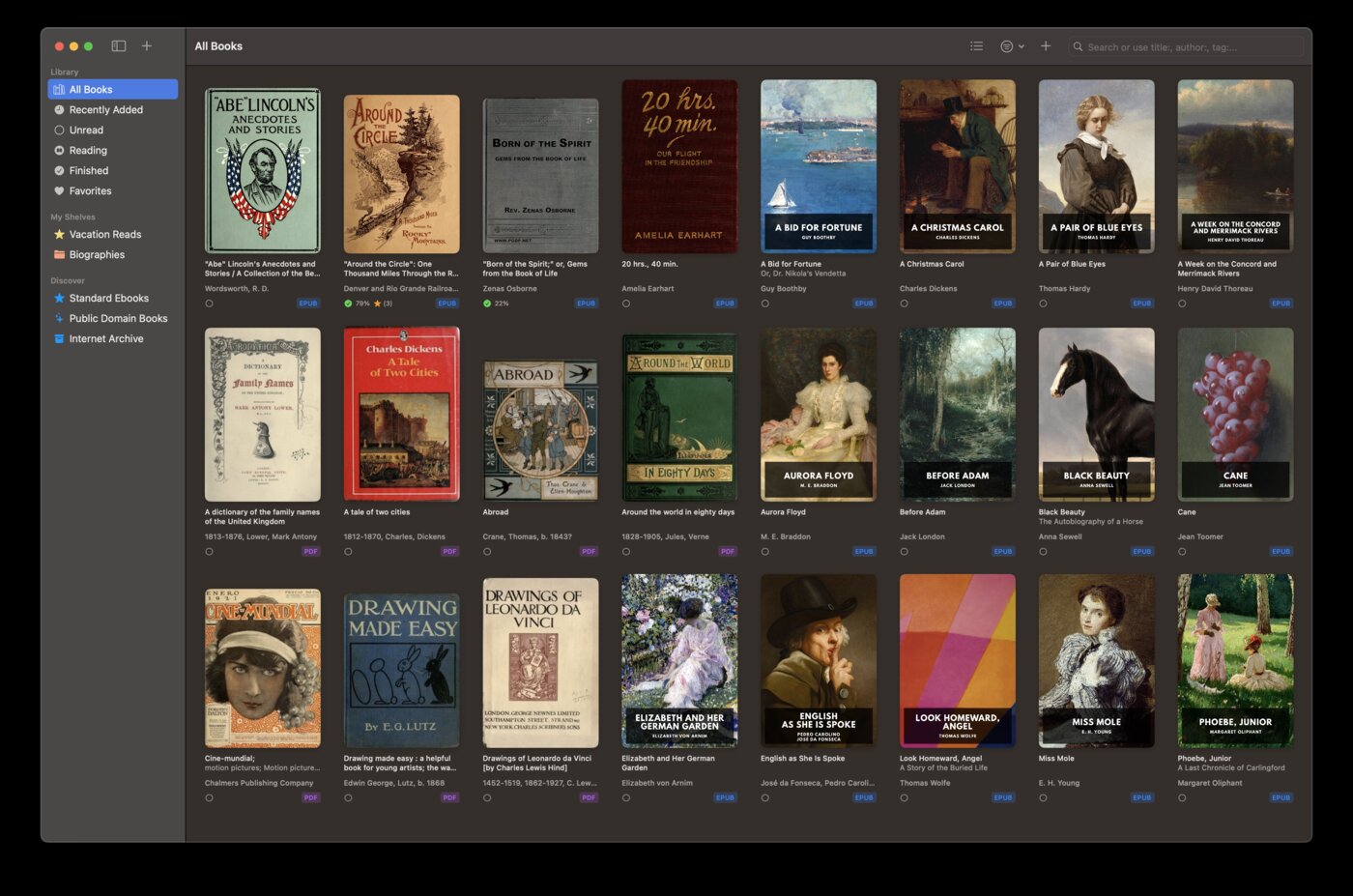
Read on Mac and iPhone
BookShelves works on macOS, iOS, and iPadOS. Start a book on your Mac, pick it up on your iPhone during your commute, continue on your iPad on the couch. ClearView X is Mac-only — your reading stays at your desk.
Active, ongoing development
BookShelves ships regular updates with new features, performance improvements, and quick responses to macOS/iOS changes. ClearView X’s development has slowed to occasional maintenance patches. When Apple ships a new OS, you want a reader that’s ready for it — not one that takes months to patch crashes.
Discover free books without leaving the app
BookShelves has a built-in catalog with thousands of free, public domain books from Standard Ebooks, Internet Archive, Biblioteca Nacional de Espana, and more. Browse by subject, search by author, download with one tap. ClearView X has no content discovery — you’re on your own finding books.
Accessibility-first font selection
BookShelves includes OpenDyslexic, Atkinson Hyperlegible (designed by the Braille Institute), Lexend, and other reading-optimized fonts. A bold text toggle helps readers who need extra weight. ClearView X limits you to system fonts.
iCloud sync across all your Apple devices
BookShelves syncs books, reading position, bookmarks, and highlights across Mac, iPhone, and iPad through iCloud. ClearView X only syncs annotations between Macs — because there’s no iOS app, that’s all it can do.
Connect to your reading ecosystem
BookShelves integrates with Calibre via OPDS and wireless sync, sends books to Kindle/Kobo/reMarkable via email, and syncs with KOReader. ClearView X is a standalone reader with no integrations.
Built-in translation and read aloud
Select text in BookShelves and translate it on-device using Apple Translation — free, private, 20+ languages. Or have your book read aloud with system voices. ClearView X offers neither feature.
Where ClearView X is the better choice
You need PDF annotation tools
ClearView X has genuine PDF markup — lines, arrows, rectangles, ellipses, freehand drawing, and text comments directly on PDF pages. If you annotate PDFs heavily with shapes and sketches, this is ClearView X’s strongest feature. BookShelves handles PDF reading and highlights but doesn’t offer shape-based annotation tools.
You read CHM or FB2 files
ClearView X opens CHM (compiled HTML help) and FB2 (FictionBook) files natively. BookShelves doesn’t support these formats. If you have a collection of CHM technical documentation or FB2 books from Russian-language libraries, ClearView X handles them.
You want a dual-page view
ClearView X offers a two-column layout for side-by-side page reading. BookShelves uses paginated or continuous scroll modes but doesn’t have a dual-page view for EPUB content (PDF spread mode is supported).
You want the lowest possible price
ClearView X is a one-time purchase around $9.50. BookShelves is free with an optional Pro upgrade. If you want everything unlocked for the minimum one-time cost and don’t need iOS support or content discovery, ClearView X’s price is hard to beat.
Switching to BookShelves
If you’ve been using ClearView X and want to try BookShelves, your books transfer easily:
- Locate your ebook files — find the EPUBs, MOBIs, and PDFs you’ve been reading. ClearView X stores references to files in their original locations.
- Drag them into BookShelves — drop the files onto the BookShelves window or use the import dialog. BookShelves handles EPUB natively and auto-converts MOBI and AZW3 on import.
- Metadata fills in automatically — BookShelves looks up titles, authors, and covers after import. No manual editing needed.
- iCloud takes over sync — once imported, your books sync across all your Apple devices through iCloud. No extra setup.
Annotations from ClearView X won’t transfer — each app stores highlights and notes in its own format. ClearView X stores annotations in its library database, not in the original files.
See the full feature list to explore everything BookShelves offers.

