What is Foliate?
Foliate is a clean, well-designed ebook reader for Linux. Built with GTK, it’s widely regarded as the best reading experience on the Linux desktop — praised for its minimal interface, solid EPUB rendering, and thoughtful features like dictionary lookups, translation, and popup footnotes.
Foliate reads EPUB, Mobipocket, Kindle, FB2, CBZ, and PDF files. It stores annotations as plain JSON files, making them easy to back up and sync manually. It’s free, open-source software available through Flathub, Snap, and most Linux distribution repositories.
For Linux users, Foliate is an excellent choice. But it doesn’t run on macOS or iOS — and if you’re in the Apple ecosystem, you need something else.
The gap: Foliate is Linux-only
Foliate is built specifically for the GNOME desktop environment using GTK. It doesn’t run natively on macOS or iOS:
- No macOS app. Foliate targets Linux. While it’s theoretically possible to build GTK apps on macOS, Foliate isn’t packaged for it and wouldn’t integrate with macOS conventions (menus, keyboard shortcuts, dark mode, window management).
- No iPhone or iPad app. There’s no iOS version and no plan for one — GTK apps don’t run on iOS.
- No cloud sync. Foliate stores everything locally. If you read on multiple machines, you’d need to manually sync annotation JSON files and books between them.
- No library management. Foliate is a reader, not a library manager. It opens individual files — there’s no persistent library, no cover grid, no shelves, no metadata lookup.
None of this is a weakness of Foliate — it’s a focused reader that does its job well on Linux. But if you use a Mac or iPhone for reading, these are real gaps.
Feature comparison
| Feature | BookShelves | Foliate |
|---|---|---|
| Platforms | macOS, iOS, iPadOS | Linux only |
| EPUB | Yes | Yes |
| Yes | Yes | |
| MOBI / PRC / AZW / AZW3 | Yes — auto-converted on import | Yes (Mobipocket/Kindle) |
| KEPUB | Yes — auto-converted on import | No |
| FB2 | No | Yes |
| CBZ (comics) | Yes | Yes |
| Native platform UI | Yes — native macOS and iOS | Yes — native GTK/GNOME on Linux |
| Library management | Shelves, grid/list views, sort by multiple fields | No — opens individual files |
| Metadata lookup | Automatic on import (title, author, cover) | No |
| iCloud sync | Yes — books, position, bookmarks, highlights (Pro) | No — local storage only |
| Reading customization | Themes, fonts, line spacing, margins | Fonts, spacing, margins, color schemes |
| Highlights & notes | Yes — multi-color, synced across devices | Yes — stored as plain JSON files |
| Export highlights | Yes — Markdown, JSON, CSV (Pro) | Yes — plain JSON files (manual access) |
| Dictionary / translation | No | Yes — Wiktionary, Wikipedia, Google Translate |
| Full-text search | Yes | Yes |
| Free book catalogs | Built-in (Standard Ebooks, Internet Archive) | No |
| Multi-window (macOS) | Yes — open multiple books side-by-side | N/A (Linux only) |
| Email to device | Kindle, Kobo, PocketBook, reMarkable (Pro) | No |
| OPDS | Yes — OPDS client + server (v1.2/v2.0), share and browse libraries (Pro) | No |
| Vertical / RTL text | Yes | Yes |
| Popup footnotes | No | Yes |
| Media overlays | No | Yes |
| Price | Free (optional one-time Pro upgrade) | Free, open source (GPL v3) |
What BookShelves does differently
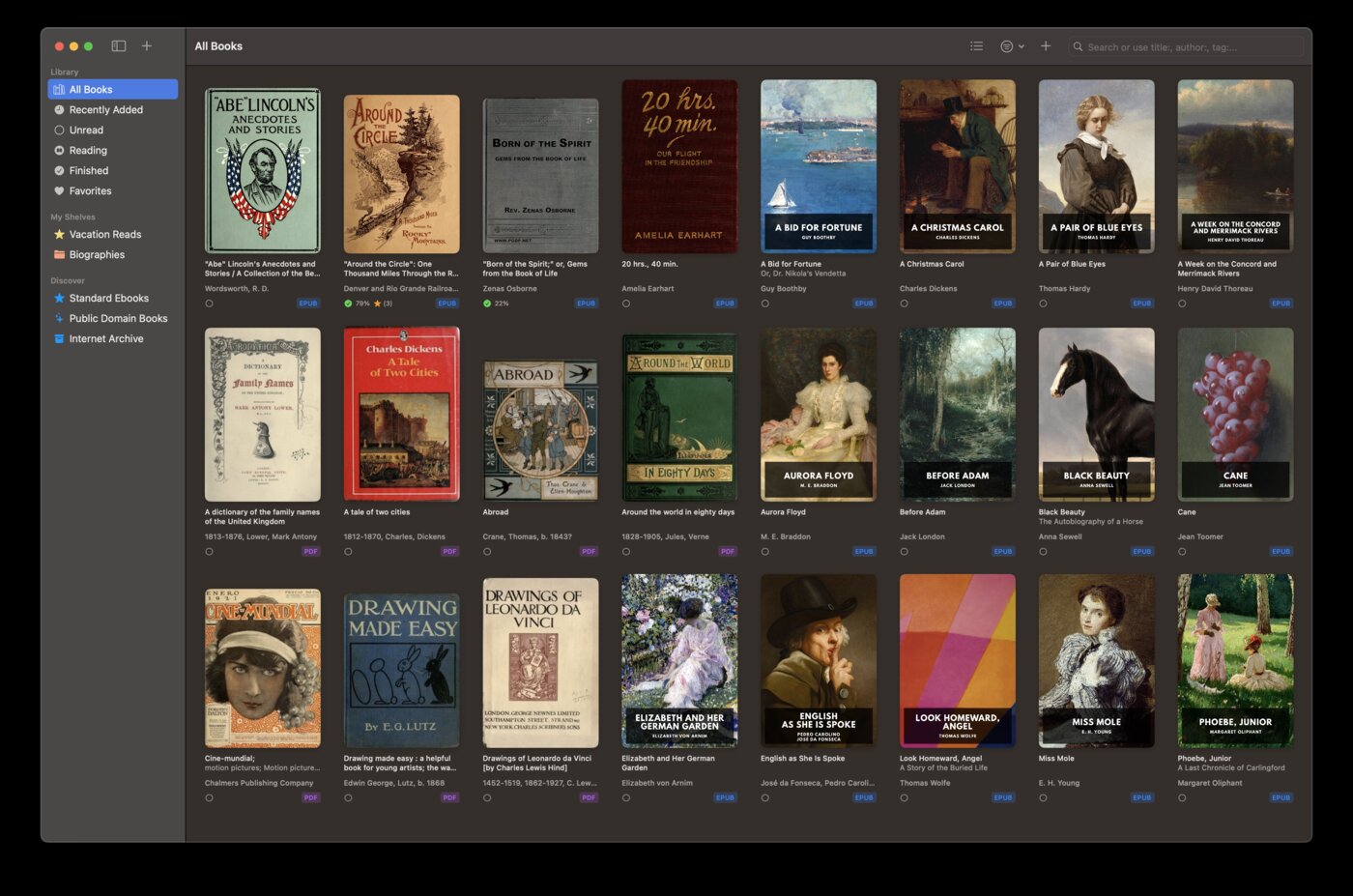
Runs on macOS and iOS
BookShelves is a native app for macOS and iOS — built with Swift and SwiftUI, following Apple’s design conventions. It integrates with macOS dark mode, keyboard shortcuts, window management, and system services. On iPhone and iPad, it’s a proper touch-first experience.
Foliate is a Linux app. If you’ve switched from Linux to macOS (or use both), BookShelves fills the same role on the Apple side.
Library management
Foliate opens one book at a time — there’s no persistent library view. BookShelves maintains your entire collection with cover art, metadata, shelves, and sorting. Import books by drag-and-drop and metadata is fetched automatically.
If you’ve been keeping your ebooks organized in folders on Linux, BookShelves gives you a proper library on macOS.
iCloud sync across all Apple devices
Your books, reading position, bookmarks, and highlights sync automatically across Mac, iPhone, and iPad through iCloud. Start reading on your Mac, continue on your iPhone. No manual file copying, no sync scripts.
Foliate stores everything locally on one machine. If you read on multiple Linux machines, you’d need to manually copy annotation files and books between them.
Built-in free book catalog
BookShelves has a built-in catalog with thousands of free public domain classics from Standard Ebooks (professionally typeset editions) and Internet Archive. Browse by subject, search by author, download with one tap.
Foliate doesn’t include book discovery — you find and download books externally, then open them in the app.
More format support
BookShelves handles KEPUB files (Kobo’s modified EPUB format) natively — auto-converted on import. Foliate doesn’t support KEPUB.
Email to device
Send books from BookShelves directly to your Kindle, Kobo, PocketBook, or reMarkable via email. Useful if you read on e-ink devices alongside your Mac or iPhone.
Where Foliate is the better choice
You use Linux
This is the obvious one. If Linux is your primary platform, Foliate is the best reader available — clean, fast, and well-integrated with GNOME. BookShelves doesn’t run on Linux.
You want inline dictionary and translation
Foliate integrates Wiktionary, Wikipedia, and Google Translate directly into the reading experience. Select a word and get definitions or translations without leaving the book. BookShelves doesn’t have built-in dictionary or translation features.
You want popup footnotes
Foliate renders EPUB footnotes as inline popups — tap a footnote reference and see it without jumping to the end of the chapter. BookShelves navigates to the footnote location in the traditional way.
You want media overlays
Foliate supports EPUB media overlays (synchronized text and audio). BookShelves doesn’t support this feature.
You prefer open-source software
Foliate is GPL v3 — fully open source, community-maintained, and auditable. BookShelves is proprietary software. If software freedom is important to your workflow, Foliate aligns with that principle.
You read FB2 files
Foliate supports FB2 (FictionBook), a format popular in Russian-language ebook communities. BookShelves doesn’t support FB2.
For dual-platform users
If you use Linux at work and macOS/iOS for personal reading (or vice versa), Foliate and BookShelves are natural complements — each is the best reader on its respective platform.
Your ebook files (EPUB, PDF, MOBI) work in both apps. The one thing that won’t transfer is annotations — Foliate stores them as JSON files, BookShelves stores them in its own database with iCloud sync. If you highlight extensively, you’ll want to pick one primary platform for annotation-heavy reading.

