What is Kobo Books?
Kobo is Rakuten’s ebook platform — the biggest Kindle competitor outside the United States. The Kobo Books app for iOS gives you access to Kobo’s bookstore, your purchased library, and features like Kobo Plus (a subscription reading service similar to Kindle Unlimited).
Kobo has a genuine advantage over Amazon in one important area: it natively reads EPUB, the universal ebook standard. That makes it friendlier to sideloaded books than Kindle. Kobo also sells DRM-free titles from some publishers, and its e-ink readers are well-regarded for their open approach to formats.
On Apple platforms, though, Kobo has limitations — especially if your library extends beyond what you buy from their store.
The problem: Kobo is still a store
Kobo is more open than Amazon, but the app is still designed around selling you ebooks. If you primarily manage a personal library from multiple sources, you’ll run into friction:
- No macOS app. Kobo Books is iOS and iPadOS only on Apple platforms. There’s no Mac app at all — if you read on a Mac, Kobo isn’t an option. You’d need to use their web reader, which is limited.
- Sideloading is awkward on iOS. You can load EPUB files into the Kobo iOS app, but it requires workarounds — typically through the Files app or iTunes file sharing. There’s no drag-and-drop import, no bulk import, and no metadata lookup for sideloaded books.
- Store content comes first. The app’s home screen, recommendations, and navigation are built around the Kobo Store. Your sideloaded books are available but don’t get the same treatment as purchased content.
- No metadata management. Sideloaded books display whatever metadata the file contains. If a book has a wrong title, missing author, or no cover, you can’t fix it in the app.
- KEPUB complications. Kobo uses its own KEPUB format for purchased books — a modified EPUB with Kobo-specific extensions. KEPUB files don’t always render correctly in standard EPUB readers, and standard EPUB files miss out on Kobo-specific features (reading stats, advanced highlighting) unless they’re in KEPUB format.
- Library sync tied to Kobo account. Your purchased library syncs through Kobo’s servers. Sideloaded books don’t sync between devices — they stay on the device where you loaded them.
- Regional limitations. Kobo’s store availability, pricing, and Kobo Plus catalog vary significantly by country. Some features and titles aren’t available in all regions.
Feature comparison
| Feature | BookShelves | Kobo Books |
|---|---|---|
| Platforms (Apple) | macOS, iOS, iPadOS | iOS, iPadOS only (no Mac app) |
| EPUB | Yes | Yes |
| Yes | Yes (limited) | |
| MOBI / PRC / AZW / AZW3 | Yes — auto-converted on import | No |
| KEPUB | Yes — auto-converted on import | Yes (native Kobo format) |
| Sideloading | Drag-and-drop, file picker, bulk import | Files app / iTunes file sharing |
| Metadata lookup | Automatic on import (title, author, cover) | Only for Kobo purchases |
| Library organization | Shelves, grid/list views, sort by multiple fields | Collections, basic sorting |
| iCloud sync | Yes — books, position, bookmarks, highlights (Pro) | No — Kobo account sync (purchases only) |
| Sideloaded book sync | Yes — syncs via iCloud like any other book | No — sideloaded books stay on one device |
| Reading customization | Themes, fonts, line spacing, margins | Themes, fonts, spacing, weight adjustment |
| Highlights & notes | Yes — multi-color, synced | Yes — synced for purchases |
| Export highlights | Yes — Markdown, JSON, CSV (Pro) | Limited — within Kobo ecosystem |
| Free book catalogs | Built-in (Standard Ebooks, Internet Archive) | Some free titles in Kobo Store |
| Multi-window (macOS) | Yes — open multiple books side-by-side | N/A (no Mac app) |
| Email to device | Kindle, Kobo, PocketBook, reMarkable (Pro) | No |
| OPDS | Yes — OPDS client + server (v1.2/v2.0), share and browse libraries (Pro) | No |
| Book Store | No | Yes — Kobo Store |
| Subscription service | No | Kobo Plus (varies by region) |
| Audiobooks | No | Yes (Kobo Store audiobooks) |
| E-ink reader integration | No | Yes — Kobo e-ink devices sync automatically |
| Pocket integration | No | Yes — save web articles to read later |
| Price | Free (optional $2.99 one-time Pro upgrade) | Free (books and subscriptions sold separately) |
What BookShelves does differently
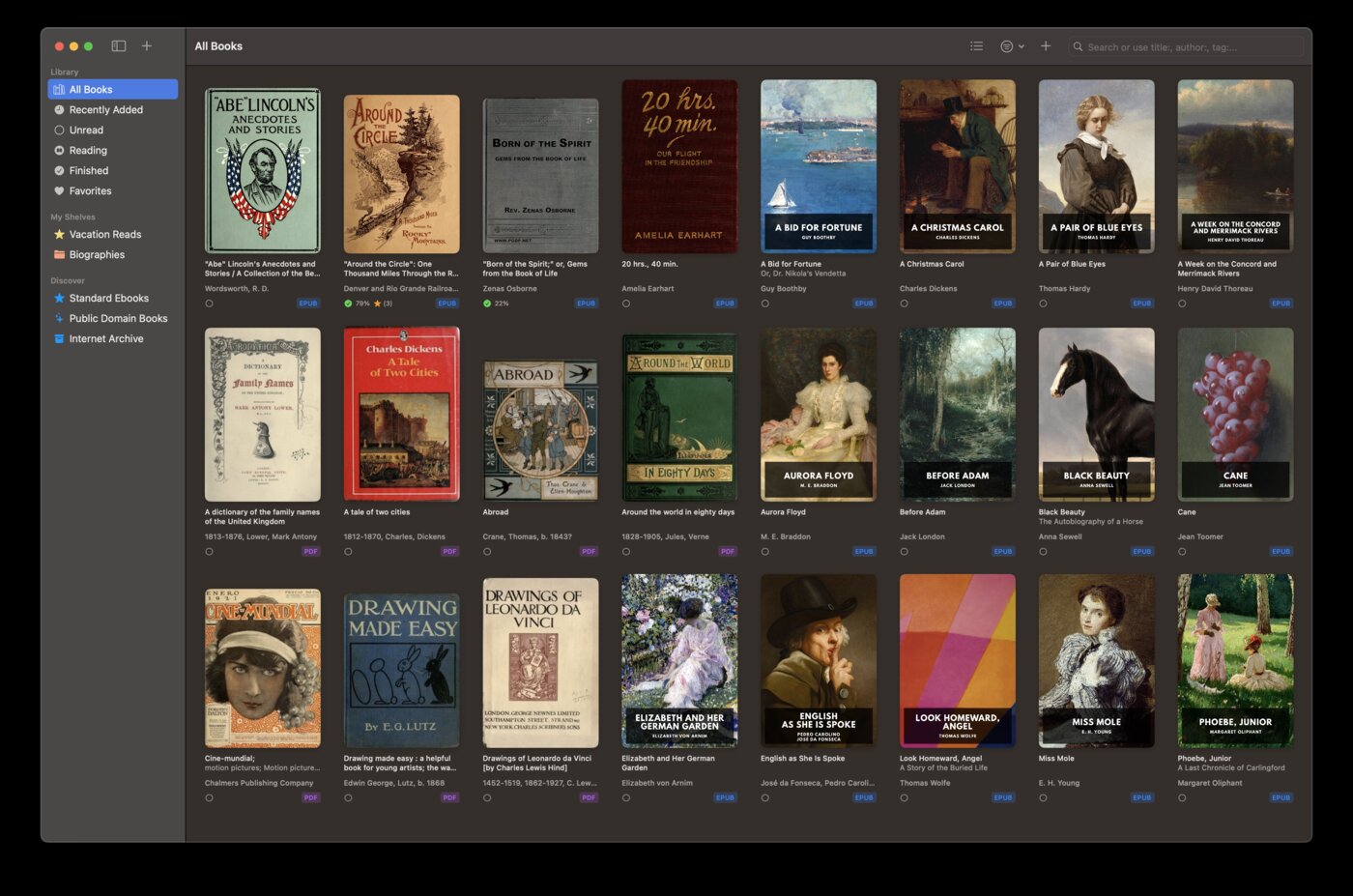
Runs on your Mac
Kobo has no macOS app. If you read on a Mac — at your desk, on a laptop — you’d need to use Kobo’s web reader, which offers a stripped-down experience with limited customization and no offline access.
BookShelves is a native macOS app with the full reading experience: multiple windows, keyboard shortcuts, dark mode, and system-level integration. Open several books side-by-side and read without a browser tab.
Treats sideloaded books as first-class
In Kobo’s app, sideloaded books are second-class citizens — no metadata lookup, no sync between devices, no reading statistics. The app clearly prioritizes purchased content.
BookShelves treats every book the same, regardless of where it came from. Sideloaded EPUBs get automatic metadata lookup, iCloud sync, highlights, reading progress tracking, and full library management — identical to any other book in your library.
Handles Kindle formats
Have MOBI, AZW, or AZW3 files from older Kindle collections? BookShelves converts them to EPUB automatically on import. Kobo can’t open Kindle formats at all — you’d need to convert them externally with Calibre first.
Syncs everything through iCloud
Kobo syncs purchased books through Kobo’s servers, but sideloaded books don’t sync. If you load an EPUB onto Kobo on your iPhone, it won’t appear on your iPad.
BookShelves syncs your entire library — every book, every reading position, every highlight and bookmark — through iCloud. Start reading on your Mac, continue on your iPhone. No separate account needed, no distinction between purchased and personal books.
Built-in free book catalog
BookShelves has a built-in catalog with thousands of free public domain classics from Standard Ebooks (professionally typeset editions) and Internet Archive. Browse by subject, search by author, download with one tap.
Kobo offers some free titles in their store, but the selection is mixed in with promotional content and the focus is on driving paid purchases.
Highlight export
Export your annotations from BookShelves to Markdown, JSON, or CSV — structured formats for note-taking apps, research, or personal reference. Kobo’s highlighting is largely locked within the Kobo ecosystem.
Where Kobo is the better choice
You buy books from the Kobo Store
If Kobo is your bookstore of choice, their app is the best way to read those purchases. Library sync is automatic, reading stats work fully, and you get access to Kobo Plus if it’s available in your region. BookShelves doesn’t connect to any bookstore.
You own a Kobo e-ink reader
Kobo’s real strength is their hardware. Kobo e-readers (Clara, Libra, Sage, Elipsa) are excellent devices, and the Kobo app syncs seamlessly with them — reading position, bookmarks, and highlights carry over between your e-reader and iOS app. If your primary reading device is a Kobo e-reader, their app is the natural companion.
You use Pocket for web articles
Kobo integrates with Pocket (also owned by Rakuten). Save web articles to Pocket and read them in the Kobo app alongside your books. It’s a niche feature, but if it’s part of your workflow, no other reader offers it.
You want audiobooks in the same app
Kobo sells audiobooks through their store and plays them in the same app. If you switch between reading and listening, having everything in one place is convenient. BookShelves is ebook-only.
You prefer DRM-free purchasing
Some publishers sell DRM-free through Kobo, and Kobo’s own store offers more DRM-free titles than Amazon. If you care about owning your purchased books without restrictions, Kobo is a better store choice than Kindle — though you can always import those DRM-free EPUBs into BookShelves after purchase.
Using both together
Kobo and BookShelves complement each other well:
- Buy from Kobo, read Kobo purchases in the Kobo app on iOS, and use BookShelves for everything else — your Mac reading, sideloaded EPUBs, free classics, and Kindle-format conversions.
- DRM-free Kobo purchases can be downloaded as EPUB files and imported into BookShelves, giving you iCloud sync and Mac access for those books.
- BookShelves’ Email to Device feature can send books directly to your Kobo e-reader — manage your personal library in BookShelves on Mac, then send books to your Kobo hardware with one click.
- Kobo with KOReader? Use BookShelves’ built-in OPDS server to wirelessly browse and download books from your library — no cables or file transfers needed.
If you own a Kobo e-reader and read on Apple devices, using both apps gives you the best of both worlds: Kobo’s store and hardware integration plus BookShelves’ library management, Mac support, and format flexibility.

