What is KOReader?
KOReader is an open-source document viewer built for e-ink devices. It runs on Kindle, Kobo, PocketBook, and Android devices as alternative reading firmware, replacing or supplementing the manufacturer’s built-in reader. It also runs on desktop Linux.
KOReader reads an exceptionally wide range of formats: EPUB, PDF, DjVu, XPS, CBT, CBZ, FB2, PDB, TXT, HTML, RTF, CHM, DOC, MOBI, and ZIP files. Its PDF handling is particularly strong — it can reflow PDF text for small e-ink screens, something most readers can’t do.
For e-ink device owners who want more control over their reading experience, KOReader is the gold standard. But it doesn’t run on macOS or iOS — and its strengths are tied to the e-ink use case.
Different tools for different devices
KOReader and BookShelves aren’t really competitors — they serve different platforms and use cases. KOReader is firmware for e-ink hardware. BookShelves is a native app for Apple devices. Many readers use both.
That said, if you’re looking for a reading app on macOS or iOS and you’re familiar with KOReader, here’s how the two compare:
- No macOS or iOS version. KOReader targets e-ink devices and Android. There’s no macOS or iOS app — Apple’s platform restrictions make it impractical.
- Power-user interface. KOReader exposes dozens of settings: font hinting, gamma correction, contrast adjustment, page margins in pixels, line spacing in percentages. This is ideal on an e-ink device where you’re optimizing for a specific screen. On a Mac or iPhone, it’s more control than most readers need.
- No library sync. KOReader stores books and reading data on the device. If you use multiple e-ink readers, you need to sync files manually or through third-party tools.
- No library management. KOReader has a file browser, not a library. There’s no cover grid, no shelves, no metadata lookup, no organization beyond the file system.
Feature comparison
| Feature | BookShelves | KOReader |
|---|---|---|
| Platforms | macOS, iOS, iPadOS | Kindle, Kobo, PocketBook, Android, Linux |
| EPUB | Yes | Yes |
| Yes | Yes — with text reflow for small screens | |
| MOBI / PRC / AZW / AZW3 | Yes — auto-converted on import | MOBI only |
| KEPUB | Yes — auto-converted on import | No (reads standard EPUB on Kobo devices) |
| DjVu / FB2 / CHM / DOC / RTF | No | Yes |
| CBZ / CBT (comics) | Yes (CBZ, CB7) | Yes |
| Native platform UI | Yes — native macOS and iOS | Custom UI optimized for e-ink |
| Library management | Shelves, grid/list views, sort by multiple fields | File browser only |
| Metadata lookup | Automatic on import (title, author, cover) | No |
| iCloud sync | Yes — books, position, bookmarks, highlights (Pro) | No — device-local storage |
| Reading customization | Themes, fonts, line spacing, margins | Extensive — fonts, hinting, gamma, contrast, margins, spacing, and more |
| Highlights & notes | Yes — multi-color, synced across devices | Yes — stored locally per device |
| Export highlights | Yes — Markdown, JSON, CSV (Pro) | Yes — various export options |
| Dictionary | No | Yes — StarDict dictionaries, Wikipedia |
| PDF reflow | No | Yes — reflows text for small screens |
| Full-text search | Yes | Yes |
| Free book catalogs | Built-in (Standard Ebooks, Internet Archive) | OPDS catalog browser |
| OPDS support | OPDS client + OPDS v1.2/v2.0 server (Pro) | OPDS client for browsing catalogs |
| Multi-window (macOS) | Yes — open multiple books side-by-side | N/A |
| Calibre wireless sync | Built-in server — push books, pull imports, sync reading progress (Pro) | Client only — connects to Calibre desktop or compatible servers |
| Email to device | Kindle, Kobo, PocketBook, reMarkable (Pro) | No |
| E-ink optimization | No — designed for LCD/OLED screens | Yes — refresh modes, contrast, ghosting control |
| SSH / SFTP file transfer | No | Yes — built-in SSH server |
| Price | Free (optional $2.99 one-time Pro upgrade) | Free, open source (AGPL v3) |
What BookShelves does differently
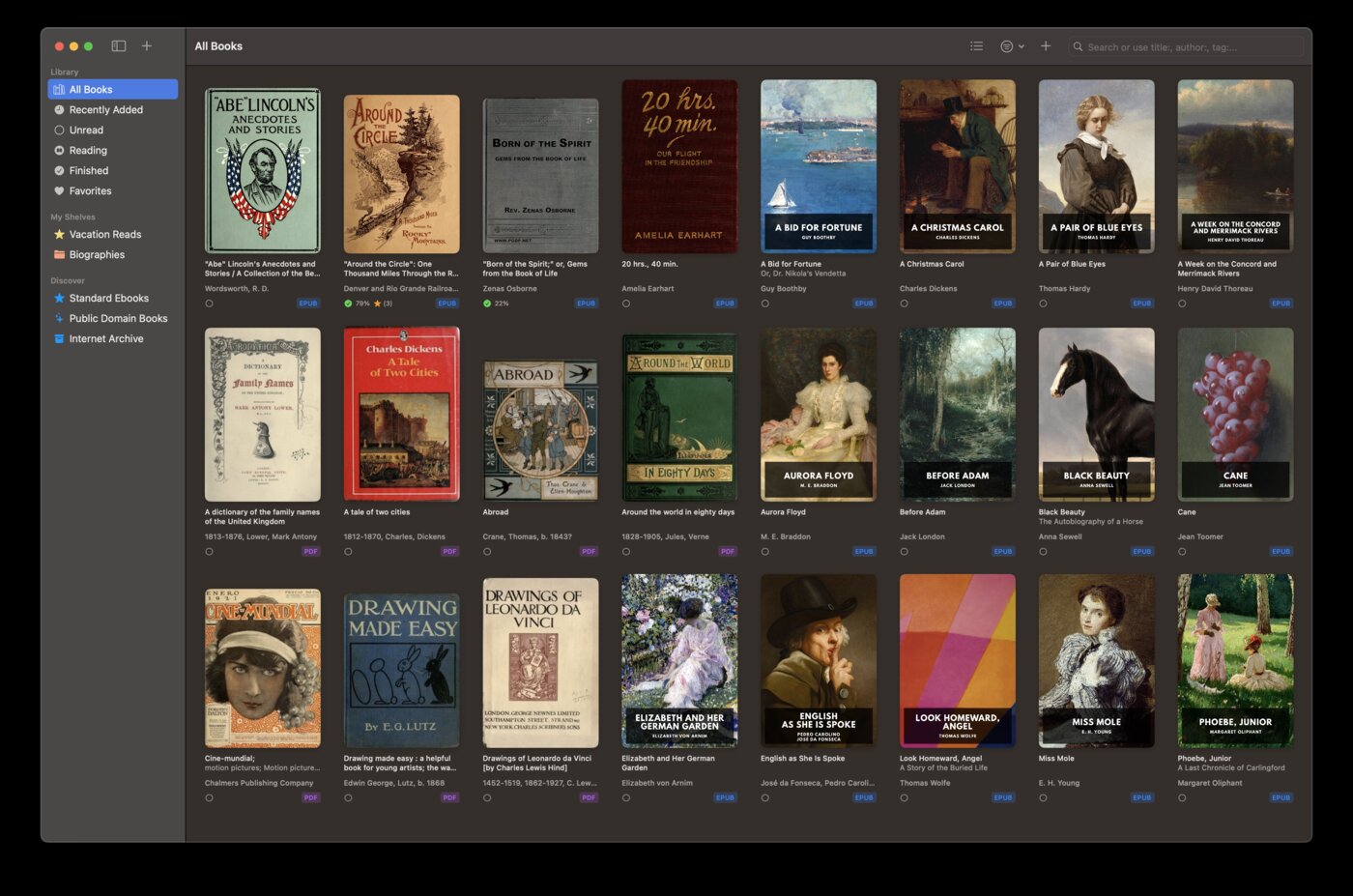
Native macOS and iOS experience
BookShelves is built for Apple devices — native Swift app with proper macOS window management, keyboard shortcuts, dark mode, and an iOS interface designed for touch. KOReader’s UI is optimized for e-ink displays and touch targets on small screens, not for desktop or phone use.
Library management
KOReader browses your file system — it shows whatever’s in the folder. BookShelves maintains a proper library with cover art, automatic metadata lookup, custom shelves, and sorting by title, author, or date. Import books by drag-and-drop and everything organizes itself.
iCloud sync
Your books, reading position, bookmarks, and highlights sync automatically across Mac, iPhone, and iPad. KOReader stores everything on the device — syncing between multiple e-readers requires manual file management or third-party tools like Syncthing.
Built-in free book catalog
BookShelves has a built-in catalog with thousands of free public domain classics from Standard Ebooks and Internet Archive. Browse and download with one tap. KOReader can connect to OPDS catalogs, but you need to find and add them manually.
Send books to your e-reader
BookShelves can send books directly to your Kindle, Kobo, PocketBook, or reMarkable via email. Manage your library on your Mac, then push books to your e-ink device with one click.
Where KOReader is the better choice
You read primarily on e-ink devices
This is KOReader’s home turf. It’s the most capable reader firmware for Kindle, Kobo, and PocketBook devices — with e-ink-specific features like refresh mode control, contrast adjustment, and custom font rendering that account for the unique characteristics of e-paper displays.
You need PDF reflow
KOReader can reflow PDF text to fit small e-ink screens — turning fixed-layout PDFs into readable, reflowable text. This is invaluable for reading academic papers or scanned documents on a 6-inch e-reader. BookShelves renders PDFs at their native layout.
You want offline dictionaries
KOReader supports StarDict-format dictionaries and Wikipedia lookups. Install dictionaries once and look up words offline — essential for e-ink devices that may not always have internet access.
You read DjVu, FB2, or CHM files
KOReader handles a wider range of niche formats: DjVu (scanned documents), FB2 (Russian ebooks), CHM (Windows help files), RTF, DOC, and more. BookShelves focuses on EPUB, PDF, MOBI/AZW, KEPUB, and comic book formats.
You want maximum reading customization
KOReader exposes fine-grained control over font rendering, hinting, gamma, contrast, word spacing, and dozens of other parameters. If you’re the kind of reader who optimizes every detail of how text appears on screen, KOReader offers more knobs to turn.
You prefer open-source software
KOReader is AGPL v3 — fully open source with an active community. BookShelves is proprietary.
Using both together
KOReader and BookShelves complement each other naturally — KOReader for your e-ink device, BookShelves for your Mac and iPhone. There are two ways to connect them, and you can use both at the same time.
Calibre wireless sync — push books and sync progress
BookShelves includes a built-in Calibre wireless server. KOReader connects to it directly — no Calibre desktop needed. Once connected, you can push books from your Mac to your e-reader with a right-click, pull books back into BookShelves, and sync reading progress automatically. When you finish a book on your e-reader, BookShelves knows.
This is the best option if you want to actively manage what goes on your device and keep reading progress in sync between your Mac and e-reader. See the Calibre wireless sync guide for setup instructions.
OPDS — browse and download from the device
BookShelves’ built-in OPDS server lets KOReader browse and download books directly from your BookShelves library over your local network. Set it up once and your e-reader can pull books from your Mac without cables or file transfers. This is ideal if you prefer to browse your library from the device itself.
See the KOReader OPDS setup guide for step-by-step instructions.
Email to device
You can also use BookShelves’ Email to Device feature to send books directly to your Kindle, Kobo, or PocketBook — even if those devices are running KOReader, the email delivery works the same way.
What transfers, what doesn’t
Your EPUB and PDF files work in both apps. Reading progress syncs via Calibre wireless. The main thing that won’t transfer is annotations — each app stores highlights and notes in its own format. Pick one device for annotation-heavy reading, or export highlights from either app for your records.

