What is Libby?
Libby is a free app from OverDrive for borrowing ebooks and audiobooks through your local public library. Connect your library card, browse your library’s digital collection, and borrow books for a fixed period — typically 7, 14, or 21 days. When the loan ends, the book disappears from your device.
Libby is the best way to read library books digitally. If your local library participates in OverDrive, you get free access to a large catalog of recent commercial books, audiobooks, and magazines — all through a clean, well-designed app on iOS, Android, and the web.
It solves one problem well: borrowing books you don’t own. For books you do own — DRM-free EPUBs, Project Gutenberg classics, Standard Ebooks, books you’ve bought from independent publishers, or files you’ve had for years — Libby won’t help. It doesn’t import your own files.
Libby and BookShelves solve different problems
This isn’t a typical “alternative” comparison. Libby borrows; BookShelves keeps. Most serious readers use both:
- Libby for new releases, audiobooks, and books you want to sample before buying
- BookShelves for classics, professionally typeset editions, DRM-free purchases, and anything you want in your permanent library
If you’re here because you want something more than Libby — a place for books you own, with no 21-day timer, no waitlists, and no library card required — BookShelves is that app.
Where Libby falls short as a general reader
Libby is excellent at library borrowing, but it has limits if you want a full-featured reader for your own books:
- No imports. You cannot add your own EPUB, MOBI, or PDF files. Libby only reads books borrowed through a participating library.
- 21-day loans. Books expire at the end of your loan period, even if you’re in the middle of reading.
- Holds and waitlists. Popular books often have weeks-long waits. Your library owns a fixed number of digital copies.
- Library-dependent catalog. Your selection is whatever your library licensed. Coverage varies hugely — some libraries have 100,000+ titles, others have a few thousand.
- No reading customization depth. Font choice, spacing, and theme options are limited compared to dedicated readers.
- Annotations stay in Libby. Highlights and notes are tied to the borrowed book. When the loan ends, so does access to your notes.
- No PDF support. Libby reads EPUBs and audiobooks. PDF documents, research papers, and technical books aren’t supported.
- Comic book support is limited. Libby can handle some library-provided graphic novels but doesn’t read standalone CBZ, CBR, or CB7 files.
Feature comparison
| Feature | BookShelves | Libby |
|---|---|---|
| Platforms | macOS, iOS, iPadOS | iOS, Android, Web, Kindle |
| Book source | Your own files + built-in free catalogs | Public library loans (OverDrive) |
| Import your own files | Yes — EPUB, PDF, MOBI, AZW3, CBZ, CBR, CB7 | No |
| Library card required | No | Yes |
| Keep books permanently | Yes | No — loans expire after 7–21 days |
| Waitlists / holds | None | Often — popular titles have long waits |
| Offline reading | Yes — everything local | Yes (while loan is active) |
| EPUB | Yes — native rendering | Yes (library-provided only) |
| Yes | No | |
| MOBI / AZW3 | Yes — auto-converted on import | No |
| KEPUB | Yes — auto-converted on import | No |
| CBZ / CB7 (comics) | Yes | No |
| Audiobooks | No | Yes |
| Free book catalog | Built-in (Standard Ebooks, Internet Archive) | Library-dependent |
| Cloud sync | iCloud — books, position, highlights (Pro) | OverDrive account sync |
| Reading customization | 10 themes, fonts, line spacing, margins | Basic font and theme options |
| Highlights & notes | Yes — multi-color, permanent, synced | Yes — tied to loan period |
| Export highlights | Yes — Markdown, JSON, CSV (Pro) | No |
| Text-to-speech | Coming soon | No (audiobooks handled separately) |
| Send to e-reader | Kindle, Kobo, PocketBook, reMarkable (Pro) | Send to Kindle (for US Kindle users) |
| OPDS support | Client + Server (Pro) | No |
| Calibre integration | OPDS server + folder import | No |
| Native macOS app | Yes | No (web only on desktop) |
| Privacy | Books stay on your devices + iCloud | Reading data shared with OverDrive and your library |
| Price | Free (optional one-time Pro upgrade) | Free (requires library card) |
What BookShelves does differently
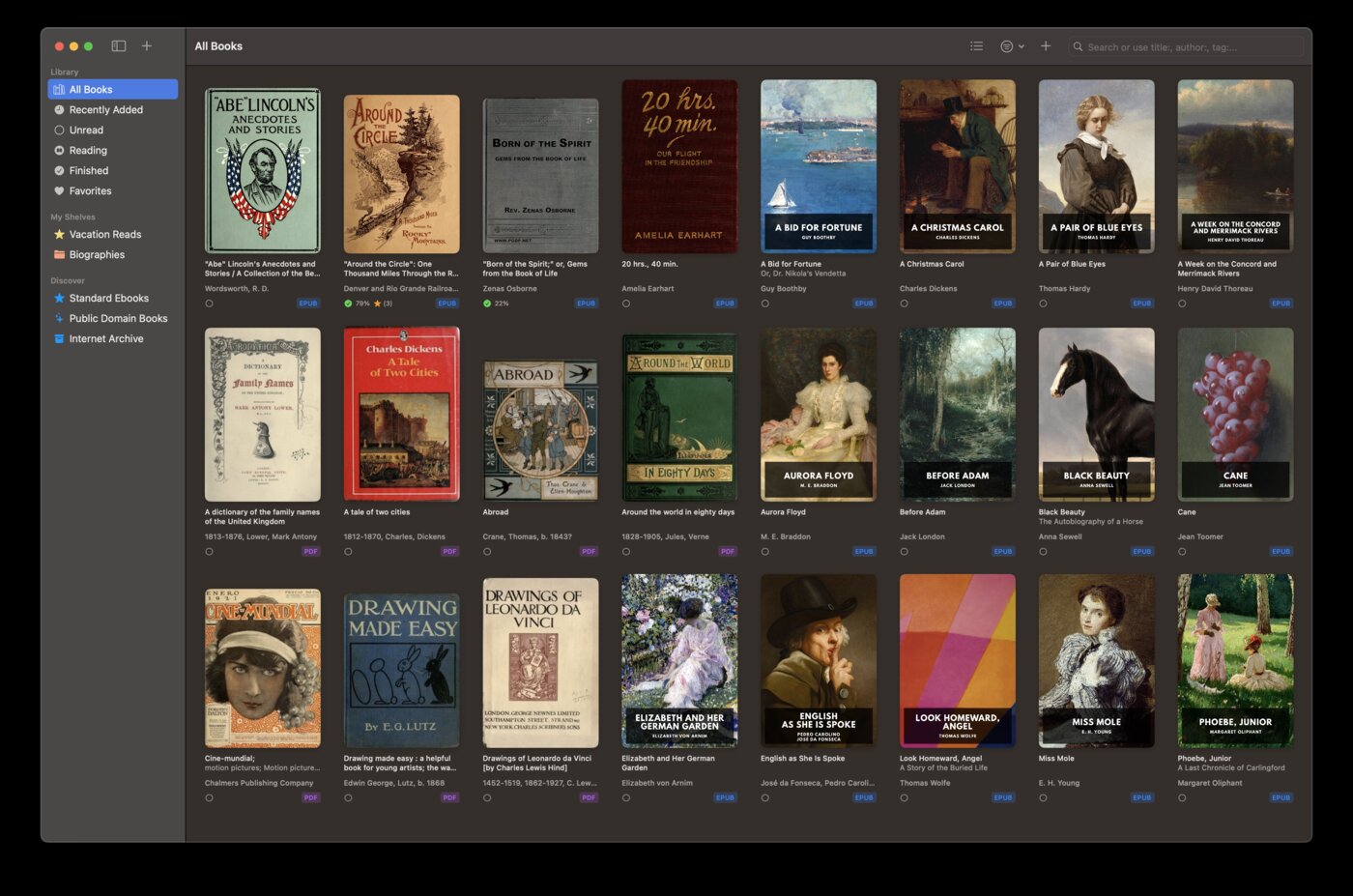
Your own library, no loans
Every book in BookShelves is yours. Import EPUB, PDF, MOBI, AZW3, or comic files and keep them as long as you want. No 21-day countdown, no waitlists, no “return” button. If you paid for the book or downloaded it from a DRM-free source, it stays in your library.
Works without a library card
Libby requires a library card from a participating library — useful if you have one, impossible if you don’t. Many people live in areas without OverDrive-participating libraries, or want to read outside the library ecosystem entirely. BookShelves needs nothing but the app.
Thousands of free books already built in
BookShelves includes a catalog of free, public-domain books — professionally typeset editions from Standard Ebooks, classics from the Internet Archive, and more. Browse by author, subject, or title, download with one tap, and keep them forever. Libby’s catalog is whatever your library licensed; BookShelves’ free catalog is the same for everyone.
Proper PDF support
Libby doesn’t read PDFs at all. BookShelves handles PDF alongside EPUB in the same reader — useful for academic papers, technical manuals, and anything designed for fixed page layouts.
Highlights and notes that don’t expire
In Libby, your highlights and notes are tied to the loan. When the book returns, the notes return with it. BookShelves stores your annotations locally and in iCloud — they stay with you as long as the book does, and you can export them as Markdown, JSON, or CSV any time.
Native macOS app
Libby doesn’t have a dedicated Mac app — you use the web version in a browser, or sideload the iPad app (Apple Silicon only). BookShelves is built for macOS from the ground up: multi-window, keyboard shortcuts, proper window management, and system integration.
Your reading stays private
Libby reports your borrowing and reading activity to OverDrive and your library system. BookShelves keeps your reading data on your devices and in your personal iCloud account. No third-party sees what you read.
Where Libby is the better choice
You want recent commercial books for free
Libby’s single biggest advantage is free access to recent bestsellers, New York Times list titles, and current releases through your library. BookShelves focuses on books you already own or public-domain classics — it doesn’t provide licensed commercial titles.
You listen to audiobooks
Libby has a strong audiobook catalog. BookShelves is ebooks and comics only — no audiobook playback. If audiobooks are a major part of your reading, you need Libby or a dedicated audiobook app alongside any ebook reader.
You’re happy with library selection
If your library system has a large OverDrive collection and the books you want, Libby is a free way to read them without owning them. Borrowing makes sense for books you’ll read once.
You don’t want to manage a personal library
Libby’s loan model means books disappear automatically when the loan ends. If you don’t want to think about file organization, keeping a library, or managing your own files, borrowing is simpler.
Using Libby and BookShelves together
Many readers use both apps for different purposes:
- Browse Libby for new releases and audiobooks
- Buy DRM-free EPUBs from sources like Standard Ebooks, publisher stores, or Smashwords
- Import into BookShelves for your permanent collection
- Use BookShelves’ built-in free catalog for classics you want to keep
This gives you the best of both — free library loans for discovery, and a real library for books you want to own.
Switching (or adding) BookShelves
BookShelves doesn’t replace Libby. It fills the gap Libby leaves — a place for books you own.
- Find EPUB, PDF, or MOBI files — books you’ve bought, downloaded from Project Gutenberg, received from publishers, or exported from other readers.
- Drag them into BookShelves — drop files onto the window or use the import dialog. EPUB and PDF open natively; MOBI and AZW3 auto-convert.
- Browse the built-in free catalog — thousands of professionally typeset classics and public-domain books, no configuration needed.
- iCloud sync keeps everything in sync — your library, reading progress, bookmarks, and highlights sync across all your Apple devices automatically.
Keep using Libby for library borrowing. Use BookShelves for everything else. See the full feature list for more.

