
What is Moon+ Reader?
Moon+ Reader is a popular Android-only ebook reader with a long history of features-per-square-inch. It reads EPUB, MOBI, PDF, FB2, RTF, TXT, and several comic formats, with deep customization: per-book settings, dozens of themes, text-to-speech, OPDS, Dropbox sync, and highly tunable layout controls.
It comes in two flavors — a free ad-supported version and Moon+ Reader Pro (a one-time purchase around $5). Both run only on Android. There is no iOS version, no macOS version, no web version.
If you’re switching from Android to an iPhone, iPad, or Mac, you’ll find Moon+ Reader isn’t there. BookShelves is the Apple-platform reader with a similarly power-user-oriented feature set: native rendering, extensive customization, multiple format support, and no account required.
Try BookShelves free
EPUB, PDF, and comics. iCloud sync. No account needed.


The trade-off: platform-first vs. Android-first
Moon+ Reader is deeply, specifically Android. BookShelves is deeply, specifically Apple. Both share a philosophy of doing the reader well for their platform rather than spreading thin across every OS.
- Android-only, no cross-platform path. Moon+ Reader has no iOS, macOS, Windows, Linux, or web version. Sync happens through Dropbox, Google Drive, or OneDrive — files, not reading state.
- Ads in the free version. The free Moon+ Reader displays banner ads. The Pro version is ad-free but requires a separate purchase.
- No iCloud. Sync happens through third-party cloud services. You have to configure Dropbox or similar yourself, and your reading progress syncs as separate data files that can get out of sync.
- No managed free book catalog. Moon+ Reader supports OPDS for connecting to external catalogs, but you need to add catalog URLs manually. There’s no built-in “browse free classics” experience.
- Dated interface. The app’s UI reflects its long history — functional, dense, and customizable, but visually behind modern Android and iOS design standards.
- No native Mac app. If you read on a Mac, you can’t use Moon+ Reader at all.
Feature comparison
| Feature | BookShelves | Moon+ Reader |
|---|---|---|
| Platforms | macOS, iOS, iPadOS | Android only |
| EPUB | Yes — native rendering | Yes |
| Yes | Yes | |
| MOBI / AZW3 | Yes — auto-converted on import | MOBI yes, AZW3 limited |
| KEPUB | Yes — auto-converted on import | No |
| FB2 | Yes — auto-converted on import | Yes |
| CBZ / CBR / CB7 (comics) | Yes — CBZ, CBR, CB7 | CBZ, CBR |
| TXT / HTML / RTF | No (focused on ebooks) | Yes |
| Reading customization | 8 themes, fonts, line spacing, margins | Extensive — dozens of themes, per-book settings |
| Bundled fonts | Yes — 8 font families, 32 files | Yes — bundled + system fonts |
| Dark mode | Yes — 4 dark themes | Yes |
| OpenDyslexic / accessibility fonts | Yes — OpenDyslexic, Atkinson Hyperlegible Next, Lexend | Custom font import |
| Cloud sync | iCloud — books, position, highlights (Pro) | Dropbox, Google Drive, OneDrive (files only) |
| Sync reading position | Yes — automatic via iCloud | Via Dropbox sync file |
| Library organization | Shelves, grid/list views, sort by multiple fields | Shelves, categories, favorites |
| Highlights & notes | Yes — multi-color, synced across devices | Yes — highlights, notes |
| Export highlights | Yes — Markdown, JSON, CSV (Pro) | Text export |
| Dictionary | Yes (Apple system dictionary) | Yes (multiple dictionary engines) |
| Translation | Yes — free, on-device (Apple Translation) | Yes — Google Translate |
| Free book catalogs | Built-in (Standard Ebooks, Internet Archive, and more) | OPDS (manual setup required) |
| OPDS support | Client + Server (Pro) | Client only |
| Calibre integration | OPDS server + folder import | Via OPDS |
| KOReader sync | Via OPDS server | No |
| Email to e-reader | Kindle, PocketBook, reMarkable (Pro) | No |
| Multi-window (desktop) | Yes — native macOS windows | N/A (no desktop version) |
| Ads | No | Yes in free version; Pro removes them |
| Price | Free (optional Pro upgrade) | Free (ads) / Pro ~$5 one-time |
What BookShelves does differently
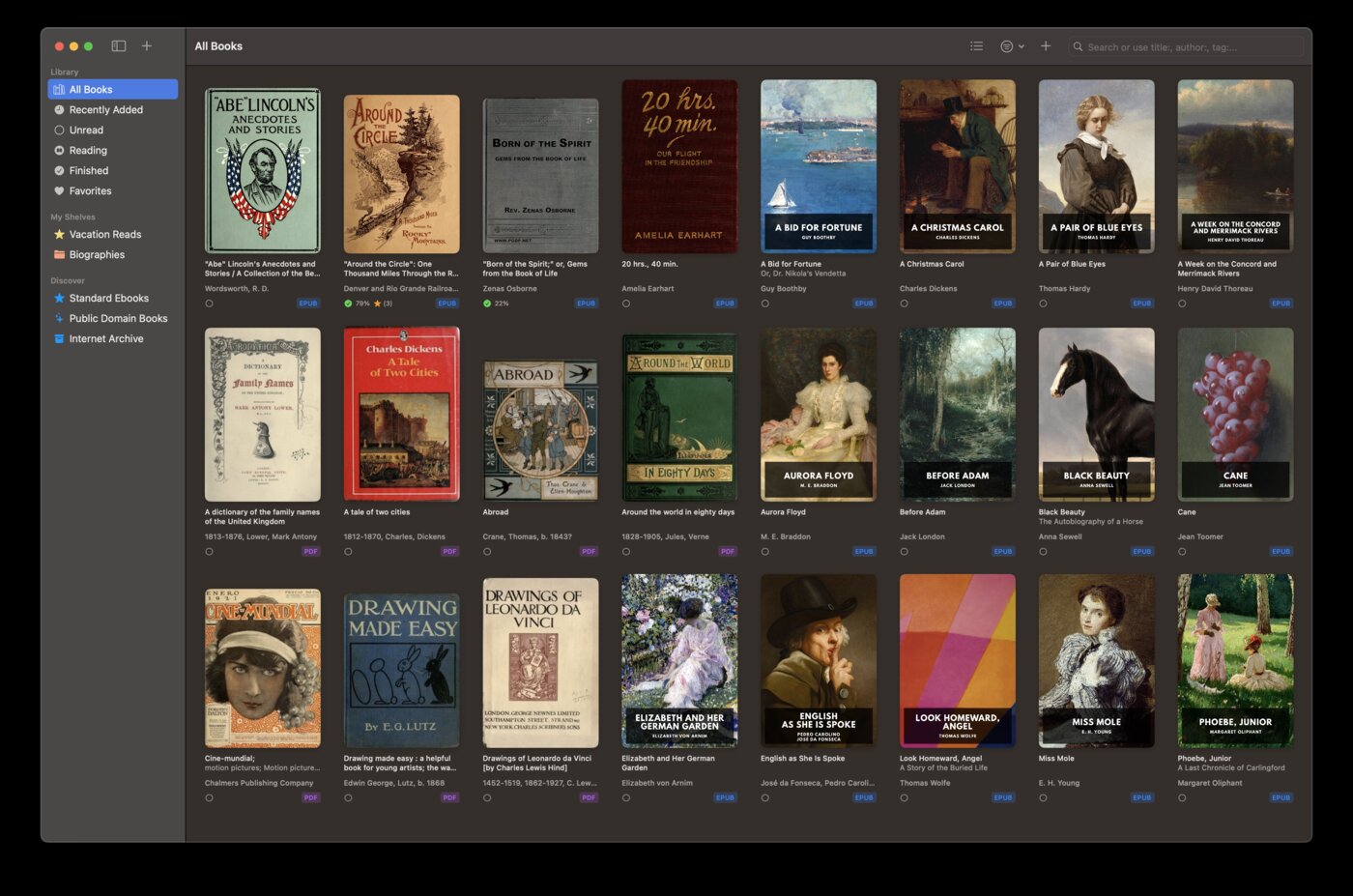
Native on every Apple platform
BookShelves is built in Swift specifically for macOS, iOS, and iPadOS. It uses native rendering, native file pickers, native sharing, and native platform features — iCloud, Shortcuts, Handoff, system dictionary, and Apple Translation. Moon+ Reader is Android-only, so on Apple platforms it simply isn’t available.
iCloud sync with zero setup
Moon+ Reader requires you to configure Dropbox, Google Drive, or OneDrive manually — and even then, syncing is file-based. BookShelves uses iCloud, the same service you already use for photos and contacts. Books, reading position, bookmarks, and highlights sync across your Mac, iPhone, and iPad automatically. No account, no configuration.
Free books built in
Moon+ Reader expects you to bring your own books. BookShelves ships with a browsable catalog of professionally typeset free books from Standard Ebooks and the Internet Archive. Open the app, browse by author or subject, download what interests you — no OPDS configuration required.
No ads, ever
The free version of Moon+ Reader shows banner ads. BookShelves is free to use with zero ads in any version. The optional Pro upgrade unlocks extras (highlight export, send-to-Kindle, sync across devices) but never affects the reading experience.
Comic book support out of the box
BookShelves reads CBZ, CBR, and CB7 comics with spread/2-up mode, right-to-left support for manga, and the same library features as ebooks. Moon+ Reader handles CBZ and CBR but is fundamentally an ebook reader with comics bolted on.
Accessibility fonts included
BookShelves bundles OpenDyslexic, Atkinson Hyperlegible Next, and Lexend — fonts specifically designed for readers with dyslexia or low vision. They’re registered system-wide and previewed in the font picker. Moon+ Reader supports custom font import but doesn’t bundle accessibility-focused typefaces.
Send books to your e-reader
Email books directly to your Kindle, PocketBook, or reMarkable. Useful for long-form reading sessions on e-ink. Moon+ Reader has no send-to-device feature.
Solid, modern interface
BookShelves follows current Apple interface conventions — large, legible typography, clear hierarchy, smooth animations, and consistent dark mode. Moon+ Reader’s interface is dense and feature-packed, but visually dated by modern standards.
Where Moon+ Reader is the better choice
You’re on Android
This is the main one. Moon+ Reader exists; BookShelves doesn’t. If you stay on Android, Moon+ Reader Pro remains one of the best reader choices available — deeply customizable, format-flexible, and inexpensive.
You need RTF or TXT support
Moon+ Reader reads a wider range of text formats — RTF and plain TXT alongside ebook formats. BookShelves focuses on EPUB, PDF, FB2, and comics. If your library includes a lot of RTF or TXT files, Moon+ Reader handles them natively.
You want extreme per-book customization
Moon+ Reader lets you save reader settings per book — different fonts, spacing, and themes for each title. BookShelves applies reader settings library-wide rather than per book. For readers who want granular control per title, Moon+ Reader goes further.
You already own Moon+ Reader Pro and stay on Android
If you’ve paid for Moon+ Reader Pro and your reading happens entirely on an Android phone or tablet, there’s no reason to switch. BookShelves is only relevant when you have Apple devices in the mix.
Switching from Android to Apple
If you’re moving from Android to iPhone, iPad, or Mac, here’s how your Moon+ Reader library transfers:
- Locate your EPUB, MOBI, or PDF files — typically in the
/Books/folder on your Android device or in the Moon+ Reader app directory. - Copy them off Android — AirDrop doesn’t work, but you can use Dropbox, Google Drive, email, or a USB cable. Get the files onto your Mac or iPhone.
- Drag into BookShelves — drop the files onto the BookShelves window or use the import dialog. EPUB and PDF open natively; MOBI and AZW3 auto-convert on import.
- Metadata fills in — BookShelves looks up titles, authors, and covers after import.
- iCloud takes over sync — once imported, your library syncs across all Apple devices automatically.
Highlights and notes don’t transfer between apps — each stores them in its own format. You can export notes from Moon+ Reader as text before switching if you want to keep a record.
See the full feature list for everything BookShelves offers.