
What is Prologue?
Prologue is a well-regarded iOS and iPadOS audiobook player designed for readers who own their audiobook files. It plays M4A, M4B, MP3, and other common audiobook formats, syncs via iCloud, and handles bookmarks, playback speed, sleep timers, and chapter navigation — everything you’d want from a serious audiobook app.
Prologue is audiobook-only. It doesn’t read EPUB, PDF, MOBI, or any text format. That’s a deliberate choice — it does one thing well rather than half-heartedly handling both.
If you’re here looking for an ebook reader with the same philosophy — iOS-native, clean, respectful of your files and your privacy, and not tied to a proprietary ecosystem — BookShelves is the ebook counterpart to Prologue. One handles your audiobooks; the other handles your ebooks.
These apps are complements, not competitors
BookShelves doesn’t play audiobooks. Prologue doesn’t read ebooks. If you own both audiobooks and ebooks and want a great experience for each, using Prologue and BookShelves together is the natural pairing on iPhone, iPad, and Mac (BookShelves on Mac; Prologue remains iOS-only).
Many readers have asked, “Is there a Prologue-style app for ebooks?” — meaning one with the same care for native design, local-first file ownership, and no account required. BookShelves is the closest match.
- Both are native Apple-platform apps
- Both respect files you already own (no lock-in, no account required)
- Both use iCloud for sync rather than a proprietary server
- Both offer clean, focused interfaces rather than feature bloat
- Both work offline — your content stays on your devices
Where Prologue leaves a gap
Prologue doesn’t try to be an ebook reader, and that’s the right call. But if you want to read text as well as listen, you need something else:
- No EPUB, PDF, or MOBI support — text formats are out of scope
- No comic book support — CBZ, CBR, and CB7 aren’t audio
- No reading position tracking for text — audiobook position only
- No highlight or note features for books — only bookmarks on audio
- iOS and iPadOS only — no native macOS app for audiobooks either
BookShelves fills the ebook side of the same need.
Feature comparison (for context)
Because these apps cover different formats, a side-by-side doesn’t compare like with like. Here’s what each does within its focus:
| Feature | BookShelves (Ebooks) | Prologue (Audiobooks) |
|---|---|---|
| Platforms | macOS, iOS, iPadOS | iOS, iPadOS |
| Core content | EPUB, PDF, MOBI, AZW3, FB2, CBZ, CBR, CB7 | M4A, M4B, MP3 audiobooks |
| Your own files | Yes — import and keep forever | Yes — import and keep forever |
| Cloud sync | iCloud (books, position, highlights) | iCloud (audiobooks, playback position) |
| Account required | No | No |
| Offline use | Yes — fully offline | Yes — fully offline |
| Library organization | Shelves, grid/list, sort | Library and playlists |
| Bookmarks | Yes — per position | Yes — per playback time |
| Highlights / notes | Yes — multi-color, exportable | Bookmarks only (audio) |
| Dark mode | Yes — 4 dark themes | Yes |
| Free content | Built-in catalog (Standard Ebooks, IA) | Bring your own (LibriVox, Audible owners, etc.) |
| Native macOS | Yes | No |
| Send to e-reader | Kindle, PocketBook, reMarkable (Pro) | N/A |
| OPDS / Calibre | Client + Server (Pro) | N/A |
| Price model | Free + optional Pro upgrade | Free + optional Plus subscription |
| Ads | None | None |
Try BookShelves free
EPUB, PDF, and comics. iCloud sync. No account needed.


Why BookShelves fits the Prologue mindset
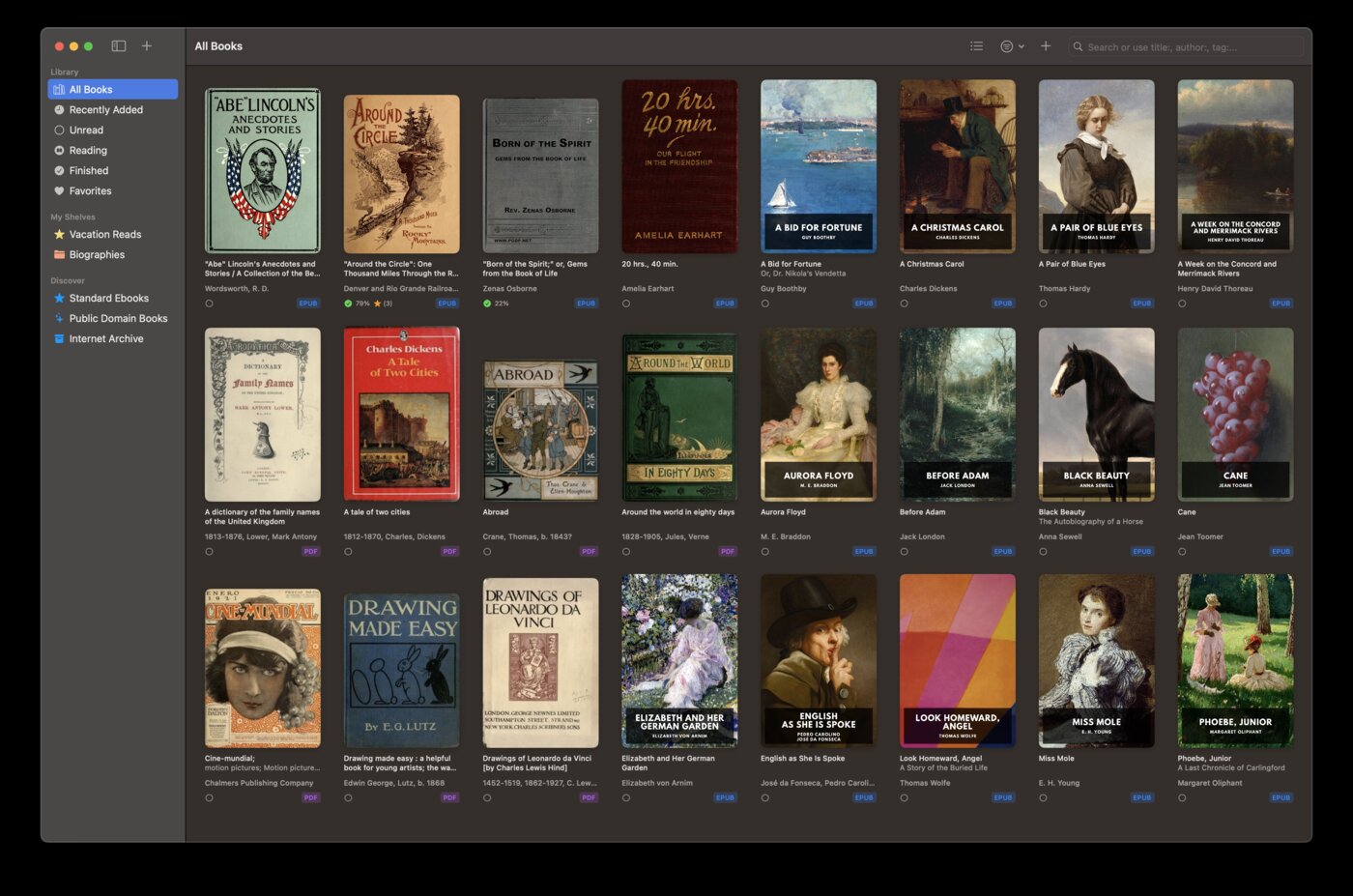
Local-first, DRM-free focus
Prologue users are usually people who prefer owning files over renting through Audible or Apple Books. BookShelves shares that philosophy for text: import your DRM-free EPUBs, PDFs, and MOBIs, and they’re yours. No account, no dependency on a storefront.
iCloud sync without a proprietary server
Both apps use Apple’s iCloud for sync. Your data stays in your own iCloud account — not on a third-party server, not behind a login, not contingent on a subscription. If the developer disappears tomorrow, your files and sync data go with you.
Clean, focused, native
Prologue is prized for what it doesn’t do — no feed of recommended audiobooks, no social layer, no push notifications, no upsells. BookShelves takes the same approach for ebooks: the library, the reader, the settings, and that’s it.
Works across Apple platforms
BookShelves runs natively on macOS, iOS, and iPadOS. Prologue users often wish for a Mac version of Prologue — BookShelves at least covers the ebook side of that gap, with the same iCloud account syncing across all your Apple devices.
1.5 million+ free books included
BookShelves ships with a browsable catalog of public-domain books from Standard Ebooks and the Internet Archive — an ebook equivalent to what LibriVox provides for audiobooks, but integrated directly into the app.
Affordable Pro upgrade
No “Plus” tier, no usage limits. BookShelves is free to use; the optional Pro upgrade unlocks cross-device sync, send-to-Kindle, and highlight export.
Using Prologue and BookShelves together
A common setup for readers who own both audiobooks and ebooks:
- Prologue on iPhone/iPad for audiobooks you’ve ripped from CDs, bought DRM-free, or downloaded from LibriVox
- BookShelves on Mac, iPhone, and iPad for EPUBs, PDFs, comics, and the built-in free catalog
- Both sync through iCloud — no crossover, no conflicts, no extra accounts
They live side-by-side on your home screen, doing their respective jobs well.
Getting started with BookShelves
If you want to try BookShelves on the ebook side:
- Install on Mac, iPhone, or iPad — available on the App Store
- Drag in your own EPUBs, PDFs, or MOBIs — import from the Files app, AirDrop, or drop onto the Mac window
- Browse the built-in free catalog — 1.5 million+ classics ready to download
- Let iCloud handle sync — your library, reading position, and highlights stay in sync across all your Apple devices
See the full feature list for everything BookShelves offers.