What is Readest?
Readest is an open-source ebook reader that aims to work everywhere: macOS, iOS, Windows, Linux, Android, and the web. It reads EPUB, MOBI, AZW3, FB2, CBZ, TXT, and has experimental PDF support. The project is developed by Bilingify LLC and licensed under AGPL v3.
Readest’s feature list is ambitious — split-screen reading for comparing two books side by side, DeepL translation, AI-powered text-to-speech, OPDS catalog browsing, Calibre library integration, and KOReader sync. Cloud sync keeps reading progress and annotations in sync across devices through Readest’s own servers.
The app is still pre-1.0 (currently version 0.9.x) and monetizes through cloud storage subscriptions ranging from $5 to $50, plus monthly Plus and Pro plans.
The trade-off: breadth vs. depth
Readest tries to be everything on every platform. BookShelves focuses on doing one thing well — being the best EPUB reader for macOS and iOS. That difference in philosophy shows up in practice:
- Still pre-release. Readest is at version 0.9.x. Features are being added faster than they’re being polished. Users report rough edges — TTS chapter continuation bugs, page animation issues, and import problems for large files are being fixed in recent updates.
- Subscription model for sync and AI. Free users get limited cloud storage. Syncing across devices, AI features, and larger storage require a Plus ($4.99/mo) or Pro ($9.99/mo) plan, or one-time storage purchases ($10–$50). The ebook community generally pushes back on recurring fees for reader apps.
- Cross-platform means compromise. Apps that target six platforms simultaneously can’t take full advantage of any single one. Readest doesn’t use iCloud, doesn’t support native macOS multi-window, and doesn’t integrate with Apple’s platform features like Shortcuts or system-level dictionary lookup.
- No content discovery. Readest has OPDS catalog support for connecting to external servers, but no built-in catalog of free books. You need to know where to find books and configure the OPDS sources yourself.
- Experimental PDF. PDF support is listed as experimental. If you read PDFs alongside EPUBs, this matters.
- Proprietary cloud sync. Your reading data syncs through Readest’s servers, not iCloud. If you stop paying or the service shuts down, your sync stops working.
Feature comparison
| Feature | BookShelves | Readest |
|---|---|---|
| Platforms | macOS, iOS, iPadOS | macOS, iOS, Windows, Linux, Android, Web, visionOS |
| EPUB | Yes — native rendering | Yes |
| Yes | Experimental | |
| MOBI / AZW3 | Yes — auto-converted on import | Yes |
| KEPUB | Yes — auto-converted on import | No |
| FB2 | No | Yes |
| CBZ / CB7 (comics) | Yes | CBZ only |
| Open files directly | Yes — drag and drop, file picker | Yes |
| Metadata lookup | Automatic on import (title, author, cover) | Via Calibre integration |
| Library organization | Shelves, grid/list views, sort by multiple fields | Basic library view |
| Cloud sync | iCloud — books, position, bookmarks, highlights (Pro) | Proprietary cloud (500MB–10GB, paid tiers) |
| Reading customization | 8 themes, fonts, line spacing, margins | Themes, fonts, spacing, custom CSS |
| Split-screen reading | Multi-window on macOS (open books side-by-side) | Built-in split view (up to 4 books) |
| Highlights & notes | Yes — multi-color, synced across devices | Yes — highlights, notes, notebook |
| Export highlights | Yes — Markdown, JSON, CSV (Pro) | Yes |
| Dictionary | Yes (Apple system dictionary) | Yes (+ Wikipedia lookup) |
| Translation | Yes — free, on-device (Apple Translation) | Yes — DeepL, Google, Azure, Yandex (API costs) |
| Text-to-speech | Yes — Read Aloud with system voices (Pro) | Yes (AI voices, subscription) |
| Free book catalogs | Built-in (Standard Ebooks, Internet Archive) | None — OPDS catalogs only (manual setup) |
| OPDS support | Client + Server (Pro) | Client only |
| Calibre integration | OPDS server + folder import | Direct + OPDS + Calibre-Web |
| KOReader sync | Via OPDS server | Yes (native sync) |
| Reading stats | Yes — dashboard with charts | Yes |
| Email to device | Kindle, Kobo, PocketBook, reMarkable (Pro) | No |
| Multi-window (macOS) | Yes — native macOS windows | No |
| Accessibility | VoiceOver support | VoiceOver, TalkBack, NVDA, Orca |
| Open source | No | Yes (AGPL v3) |
| Maturity | Shipped (v1.0+) | Pre-1.0 (v0.9.x) |
| Price | Free (optional $2.99 one-time Pro upgrade) | Free + subscriptions ($5–$10/mo) or storage IAP ($10–$50) |
What BookShelves does differently
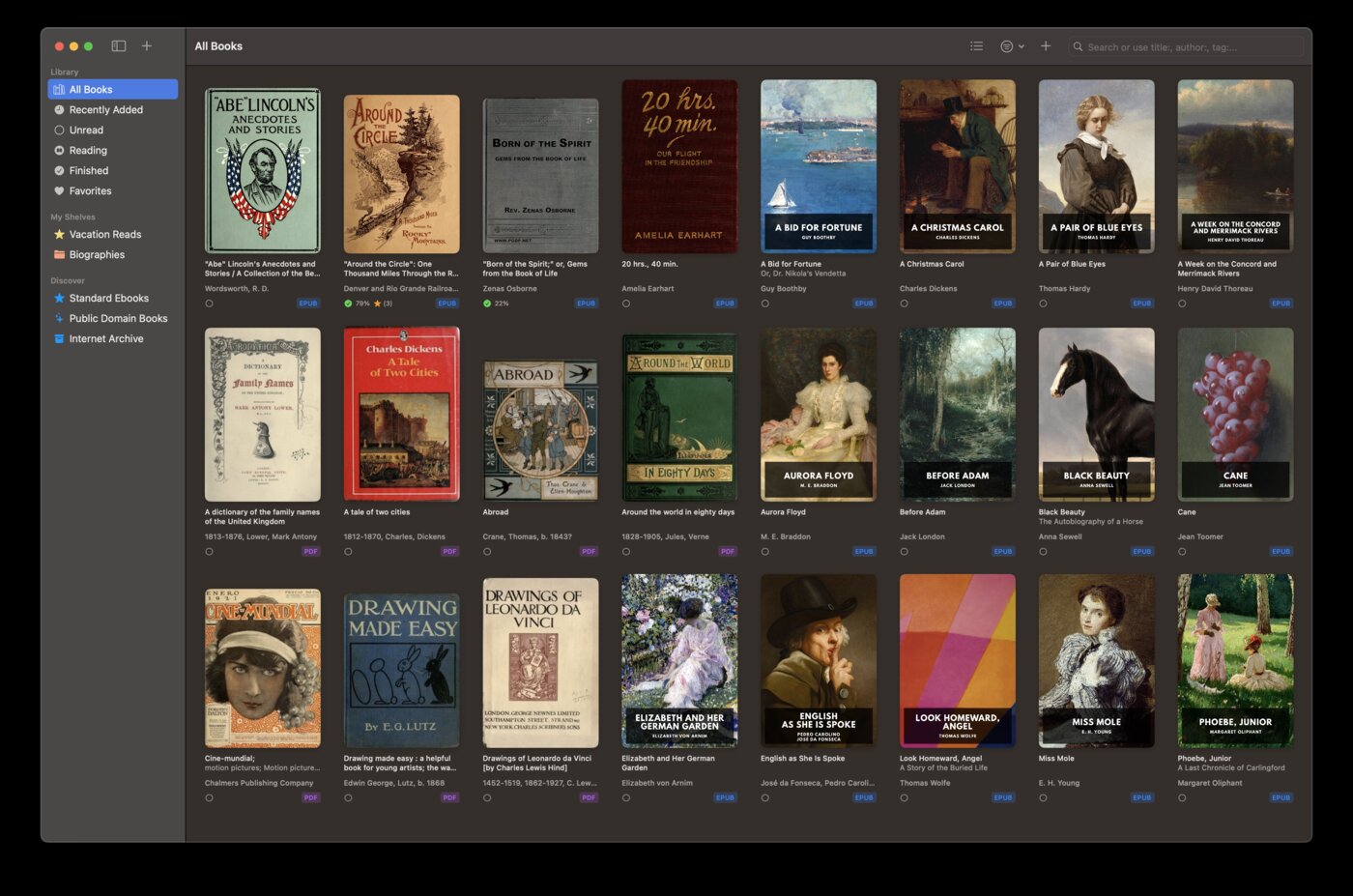
Native Apple experience
BookShelves is built in Swift for macOS and iOS. It uses native platform features — proper macOS window management, keyboard shortcuts, system dark mode, Shortcuts integration, and an iOS interface designed for touch. Readest targets six platforms with a single codebase, which means it can’t take full advantage of what makes each platform distinctive.
iCloud sync — no account needed
Your books, reading position, bookmarks, and highlights sync through iCloud — the same sync you already use for photos, contacts, and notes. No new account, no proprietary server, no storage limits to worry about. If you have an Apple device, it just works.
Readest requires you to create a Readest account and sync through their servers. Free accounts get 500MB of cloud storage. Beyond that, you need a paid plan.
Discover free books without setup
BookShelves has a built-in catalog with thousands of free, public domain books from Standard Ebooks (professionally typeset editions) and Internet Archive. Browse by subject, search by author, download with one tap.
Readest supports OPDS catalog browsing, but you need to find OPDS server URLs and add them manually. There’s no built-in way to discover books.
One-time purchase, no subscriptions
BookShelves is free to use. The optional Pro upgrade is a one-time $2.99 purchase — pay once, keep it forever. No monthly fees, no storage tiers, no API quotas.
Readest’s free tier is limited. Sync, AI features, and meaningful cloud storage require a Plus ($4.99/month) or Pro ($9.99/month) subscription. Over a year, that’s $60–$120 compared to BookShelves’ one-time $2.99.
Translation that’s free and private
BookShelves uses Apple’s built-in Translation framework — it runs entirely on your device, supports 20+ languages, and costs nothing. Your text never leaves your device.
Readest’s translation sends your text to third-party APIs (DeepL, Google, Azure, or Yandex). These services have usage costs that are passed through via Readest’s subscription tiers. Your reading content is processed on external servers.
Send books to your e-reader
BookShelves can email books directly to your Kindle, Kobo, PocketBook, or reMarkable. Manage your library on your Mac, then push books to your e-ink device with one click. Readest doesn’t offer this.
Solid PDF support
BookShelves renders PDFs properly — not experimentally. If you read a mix of EPUBs and PDFs, you won’t need a separate app for your PDFs.
Where Readest is the better choice
You need cross-platform support
If you read on Windows, Linux, Android, or in a web browser alongside your Mac or iPhone, Readest covers all of them with a single account. BookShelves is Apple-only — macOS, iOS, and iPadOS. If your devices span ecosystems, Readest’s breadth is its main advantage.
You want built-in split-screen reading
Readest has a dedicated split-screen mode that lets you view up to four books simultaneously in a single window — useful for comparing translations, referencing source material, or studying. BookShelves supports reading multiple books by opening separate macOS windows, but doesn’t have a built-in split view.
You want AI-powered TTS
Readest ships AI text-to-speech with multiple AI voice options. BookShelves has Read Aloud using system voices — both apps support text-to-speech, but Readest’s AI voices may sound more natural (at the cost of a subscription).
You prefer open-source software
Readest is AGPL v3 — the source code is on GitHub, you can inspect it, fork it, or contribute. If open source is a requirement for your software choices, Readest meets it. BookShelves is proprietary.
You use visionOS
Readest supports Apple Vision Pro. BookShelves doesn’t have a visionOS app.
Switching to BookShelves
If you’ve been using Readest and want to try BookShelves, your books transfer easily:
- Locate your EPUB files — find the ebooks you’ve been reading in Readest. They’re standard EPUB, MOBI, or AZW3 files.
- Drag them into BookShelves — drop the files onto the BookShelves window or use the import dialog. BookShelves handles EPUB natively and auto-converts MOBI and AZW3 on import.
- Metadata fills in automatically — BookShelves looks up titles, authors, and covers after import. Your library organizes itself.
- iCloud takes over sync — once imported, your books sync across all your Apple devices through iCloud. No new account needed.
Annotations (highlights and notes) from Readest won’t transfer — each app stores these in its own format. You can export your Readest annotations before switching if you want to keep a record.
See the full feature list to explore everything BookShelves offers.

